
 Send Email
 Whatsapp


solar cable with mc4
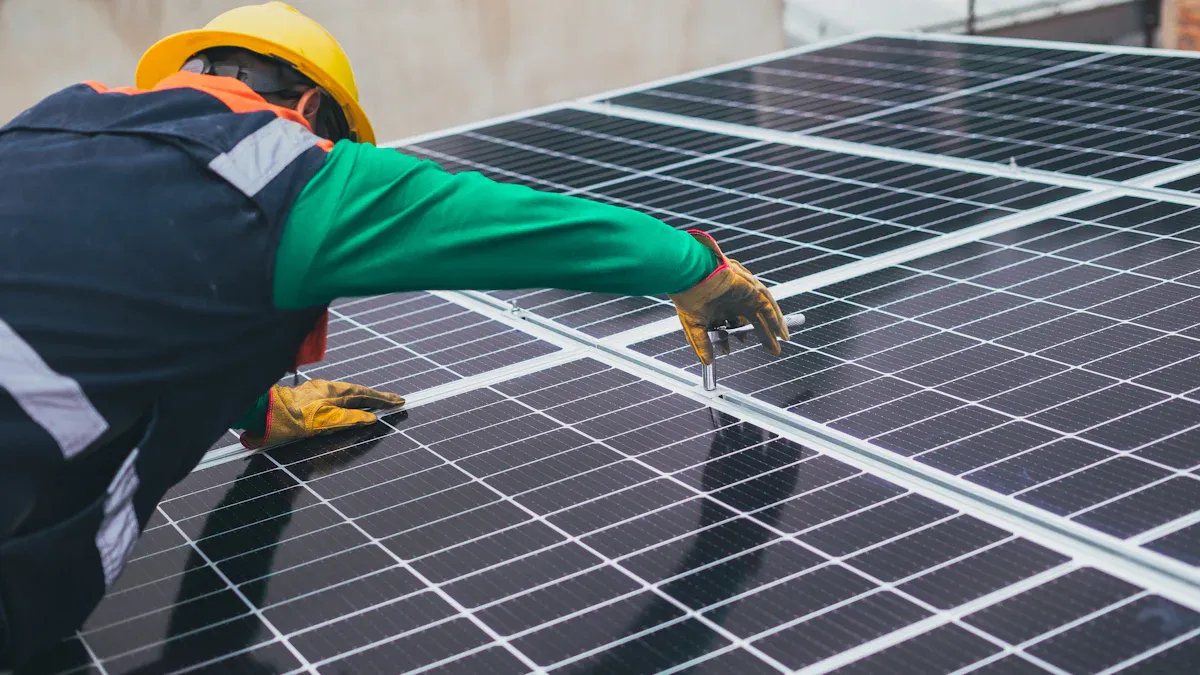
If you want to connect your solar panels safely, you need a Solar Cable with MC4 connectors. This cable lets you link panels together quickly. You get a strong, weatherproof connection that stands up to sun and rain. With these connectors, you can set up your system with less hassle.
Key Takeaways
- Use solar cables with MC4 connectors for quick, strong, and weatherproof solar panel connections that last.
- Choose the right cable length, thickness, and material to avoid power loss and keep your system efficient.
- Always connect MC4 connectors securely and follow safety steps to protect your solar setup and yourself.
Solar Cable and MC4 Connector Basics

What Are MC4 Connectors?
You might see MC4 connectors on most modern solar panels. These connectors snap together with a simple click. You do not need special tools to connect or disconnect them. MC4 stands for "Multi-Contact, 4 millimeters." The design keeps water and dust out. You get a safe and steady connection, even if it rains or gets very hot outside.
Features of Solar Cable
A solar cable carries electricity from your solar panels to your inverter or battery. You want a cable that can handle sunlight, rain, and wind. Most solar cables have thick insulation. This keeps the wires safe from damage. Some cables use copper inside, which helps electricity flow better. You can find solar cable in different thicknesses and lengths. Pick the right size for your system to avoid power loss.
Tip: Always check the cable’s rating before you buy. Look for UV resistance and weatherproof labels.
How Solar Cable and MC4 Connectors Work Together
When you use a solar cable with MC4 connectors, you make your setup much easier. You just plug the connectors together. The cable and connector fit tightly, so you do not worry about loose wires. This combo helps you build a safe and tidy solar system. You can also unplug the connectors if you need to move or fix your panels.
Using Solar Cable with MC4 Connectors

Connecting Solar Panels in Series and Parallel
When you set up your solar panels, you have two main ways to connect them: series and parallel. Each method changes how your system works.
-
Series Connection:
You connect the positive end of one panel to the negative end of the next. This setup increases the total voltage. The current stays the same as one panel. If you want to match a higher voltage inverter, this is the way to go. -
Parallel Connection:
You connect all the positive ends together and all the negative ends together. This keeps the voltage the same as one panel but increases the current. If you want to charge batteries faster or use a lower voltage inverter, try this method.
MC4 connectors make both setups easy. You just snap the connectors together. You do not need to twist wires or use tape. This keeps your connections safe and neat.
Tip: Always check your inverter’s voltage and current limits before you decide how to connect your panels.
Selecting the Right Solar Cable Length and Type
Picking the right solar cable matters a lot. If you use a cable that is too thin or too long, you lose power. You want your system to work at its best.
Here’s what you should look for:
| Factor | What to Consider |
|---|---|
| Length | Measure the distance from your panels to your inverter or battery. Add a little extra for bends and turns. |
| Thickness (Gauge) | Thicker cables carry more current with less loss. For most home systems, 10 AWG or 12 AWG works well. |
| Material | Copper cables work better than aluminum. They last longer and carry electricity more easily. |
| Insulation | Make sure your solar cable has UV and weather resistance. This keeps it safe outside. |
You can find solar cable in different colors. Most people use red for positive and black for negative. This helps you avoid mistakes during installation.
Installing and Handling MC4 Connectors Safely
Safety comes first when you work with electricity. MC4 connectors help you stay safe, but you still need to follow some rules.
- Turn off all power before you start connecting or disconnecting anything.
- Make sure the connectors click together tightly. A loose connection can cause heat and even fire.
- Do not pull on the cable to unplug the connector. Use the release tabs on the MC4 connector.
- Check for dirt or water inside the connector before you plug it in. Clean it if you see anything.
- Use the right tools if you need to crimp new connectors onto a solar cable.
Note: If you ever feel unsure, ask a professional for help. It is better to be safe than sorry.
You get a safer, easier setup when you use a solar cable with MC4 connectors. Always double-check your connections and keep things clean. Want your solar system to last? Follow these tips:
- Pick the right cable size.
- Snap connectors tight.
- Ask for help if you need it.
FAQ
How do you know if your MC4 connectors are connected correctly?
You should hear a click when you push them together. Tug gently to check. If they do not come apart easily, you did it right.
Can you mix different brands of MC4 connectors?
You should not mix brands. Some connectors may not fit tightly. This can cause loose connections or even damage. Stick with one brand for safety.
What tools do you need for installing MC4 connectors?
You need a wire stripper and an MC4 crimping tool. These help you attach connectors to the cable safely and securely.
Tip: Always double-check your connections before turning on your solar system.